
Avoca AI review: the AI front office for ServiceTitan shops
Avoca answers calls for HVAC, plumbing and electrical companies, books into ServiceTitan, and backs the AI with human CSRs. What it reportedly costs and who it suits.
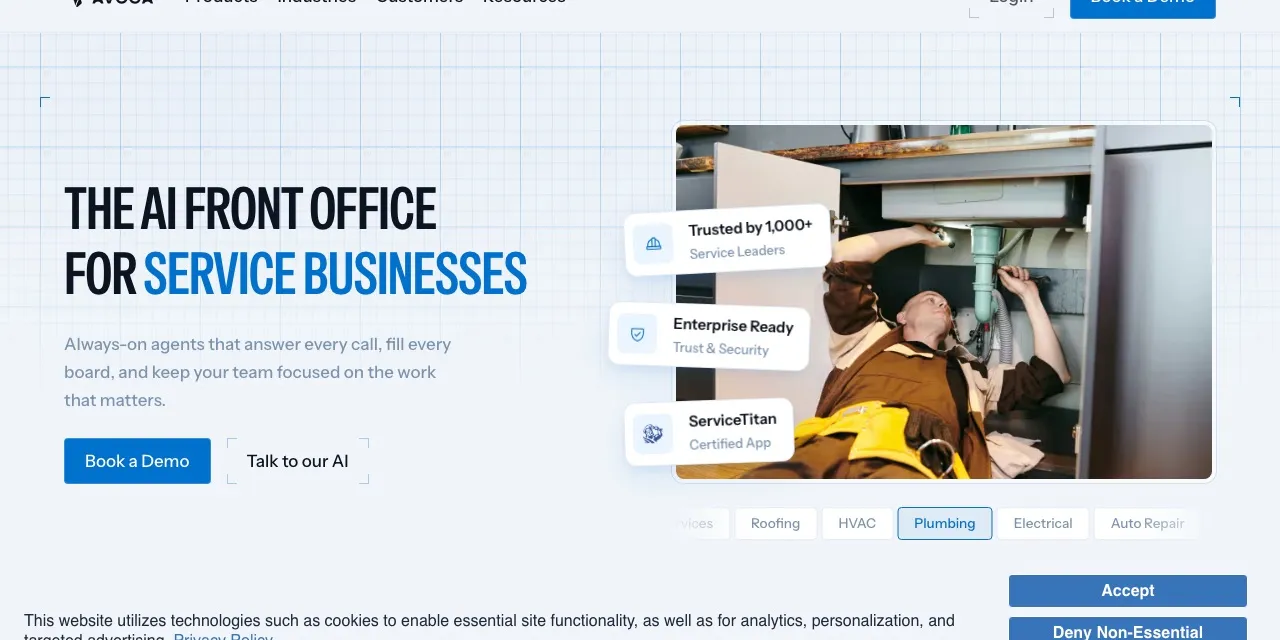
Avoca sells an AI customer service rep for home and field service companies: HVAC, plumbing, electrical, roofing, pest control, garage door, restoration and more. It answers every call, text and web chat, recognizes callers from your CRM, books jobs live into ServiceTitan, Housecall Pro or FieldRoutes, and routes emergencies to your on-call tech (Avoca inbound).
Two things set it apart. It is a certified ServiceTitan app, and it backs the AI with a team of human CSRs who take the calls the AI can’t finish.
Who it’s for
Avoca is aimed at established trades companies, the kind running ServiceTitan with a call center or at least a dispatcher and a couple of CSRs. If your phones ring hundreds of times a month and every missed call is a job going to a competitor, Avoca’s pitch is that it answers all of them and books them properly.
It’s harder to justify for a one- or two-truck operation, for reasons the price section makes clear.
What callers hear
The AI picks up, recognizes returning customers from your CRM data, and books the job into an open slot in your field-service software. It handles calls in English and Spanish; Avoca’s help center shows a Spanish call (Spanish example). Emergency calls, like a burst pipe or no heat in January, go to your on-call technician.
When the AI can’t finish a call, it warm-transfers to Avoca’s Human in the Loop team: CSRs in North America trained by Avoca, who pick up with the full context so the customer doesn’t repeat themselves (why Avoca has a human in the loop). That is the main difference from AI-only receptionists, where the fallback is your own team or a message.
Calls are recorded, and spam calls are filtered.
Setup
You keep your phone system and number and forward calls to Avoca, either always, only after hours, or only on overflow when your team doesn’t pick up (call forwarding). That makes a gradual start easy: put Avoca on after-hours calls first, watch the bookings, then widen it.
There’s no self-serve signup or published trial. You start with a demo.
What it costs
Avoca doesn’t publish prices. The only figures available come from Upfirst, a competitor, which collected customer quotes in August 2026 (Upfirst). Treat them as a guide, not a quote:
- An entry tier around $1,100 a month for 1,000 minutes, then $1.15 a minute, plus a $600 setup fee.
- Higher tiers up to $3,500 a month for 5,000 minutes.
- Hybrid tiers with human CSRs from $1,500 a month.
- Call coaching, outbound campaigns and a scheduling add-on priced separately.
Work it through for 200 calls a month at about 3 minutes each: 600 minutes. On the reported entry tier that’s $1,100 a month, about $5.50 a call, plus $600 once. You’d be paying for 400 minutes you don’t use. At 330 calls a month the 1,000 minutes are fully used and the cost per call drops to about $3.30.
So Avoca’s economics improve with volume. For a shop well under 1,000 minutes, Sameday AI publishes $449 for 500 minutes and $789 for 1,000, books into ServiceTitan, Housecall Pro and Jobber, and offers English and Spanish on every plan. Our AI receptionist pricing guide covers how to compare per-minute plans.
On the demo, ask for the price at your real minute count, whether human CSR backup is included or a higher tier, which add-ons you’d actually need, and the contract length.
More than answering
Avoca sells a set of front-office tools around the AI rep: outbound SMS and call campaigns, speed-to-lead for web form leads, web chat, booking from Google Local Services Ads, analytics, and call scoring and coaching for your own CSRs. If you already pay for some of these elsewhere, Avoca could replace them; if you don’t need them, make sure they aren’t in your quote.
Avoca shows a SOC 2 Type 2 badge. It doesn’t say whether call data trains its models.
How it compares
vs Sameday AI. The closest rival. Sameday publishes prices that come in well under Avoca’s reported ones, books into more field-service systems (including Jobber and Service Fusion) and includes a business phone system. Avoca’s edge is the trained human CSRs behind the AI and its certified ServiceTitan app.
vs Abby Connect. Abby also pairs AI with live receptionists and is month to month with no setup fee and a free trial. It doesn’t book into field-service software, so jobs would land in a calendar rather than on your dispatch board.
More options are in the best AI receptionists for home services.
Verdict
Avoca is built for the larger end of the trades: ServiceTitan shops with real call volume, an on-call rotation, and CSRs whose calls are worth coaching. For them, a certified integration plus trained humans behind the AI is a strong package. For a smaller shop, the reported $1,100-a-month entry price and $600 setup fee are hard to justify against tools that publish lower prices. Get a written quote for your actual minutes before you compare.
Pricing
| Plan | Price | Included | Extra use | Details |
|---|---|---|---|---|
| AI CSR | Custom | – | – |
|
Strengths
- Certified ServiceTitan app that books jobs live and recognizes callers from CRM data
- Human CSRs trained by Avoca take the calls the AI can't finish, by warm transfer with full context
- Routes emergency calls to your on-call tech
- Answers calls, texts and web chat, and runs outbound campaigns and speed-to-lead
- Call scoring and coaching for your own CSRs
- SOC 2 Type 2 certified
Weaknesses
- No public pricing: you book a demo to get a quote
- Third-party quotes put it around $1,100 a month and up, plus a $600 setup fee
- Coaching, outbound and scheduling add-ons are priced separately, according to the same third party
Best for
Sources
- Avoca homepageChecked Nov 8, 2026
- Avoca: Inbound AI CSRChecked Nov 8, 2026
- Avoca blog: Why Avoca has a Human in the Loop programChecked Nov 8, 2026
- Upfirst (a competitor): Avoca AI alternatives, with Avoca prices from shared customer quotes, Aug 18, 2026Checked Nov 8, 2026
- Avoca Help Center: Call forwarding overviewChecked Nov 8, 2026
- Avoca Help Center: Configure Responder functionality (spam blocklist)Checked Nov 8, 2026
- Avoca API: Stream a call recordingChecked Nov 8, 2026
- Avoca Help Center: Spanish language support demoChecked Nov 8, 2026